7.6 Integration with Stripe
Integration with our RentSyst is very simple. For successful communication, you must enter Publishable and Secret key. Where to get them?
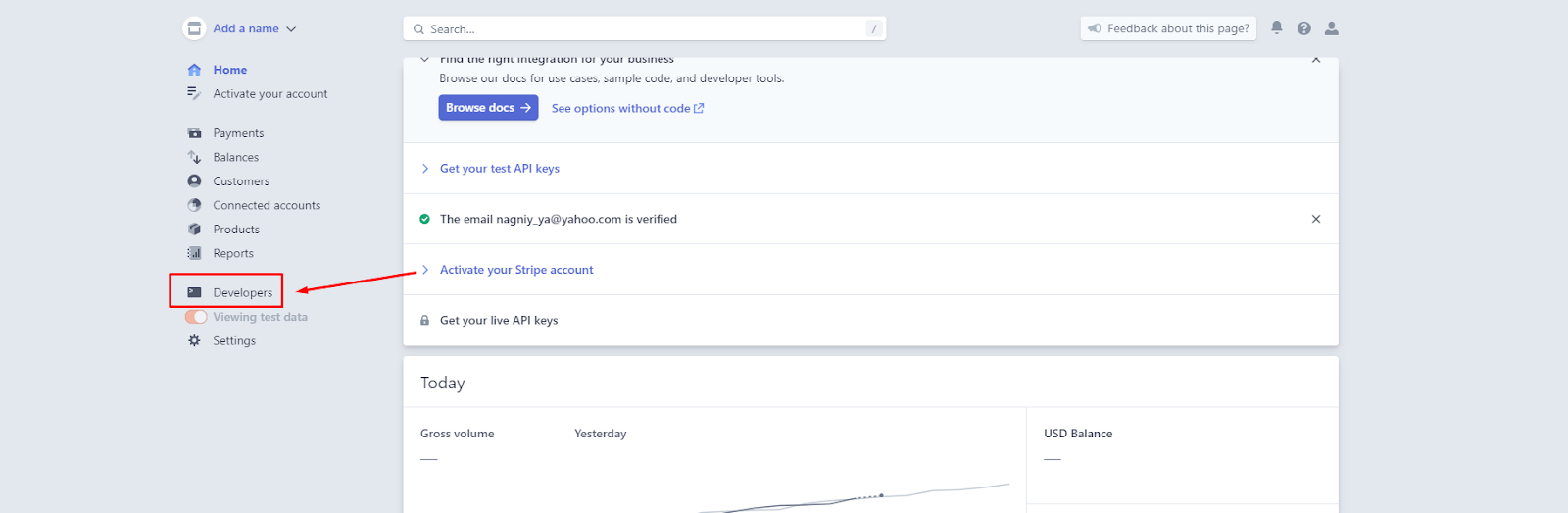
1. In your personal account, on the main one, go to the “Developers” tab
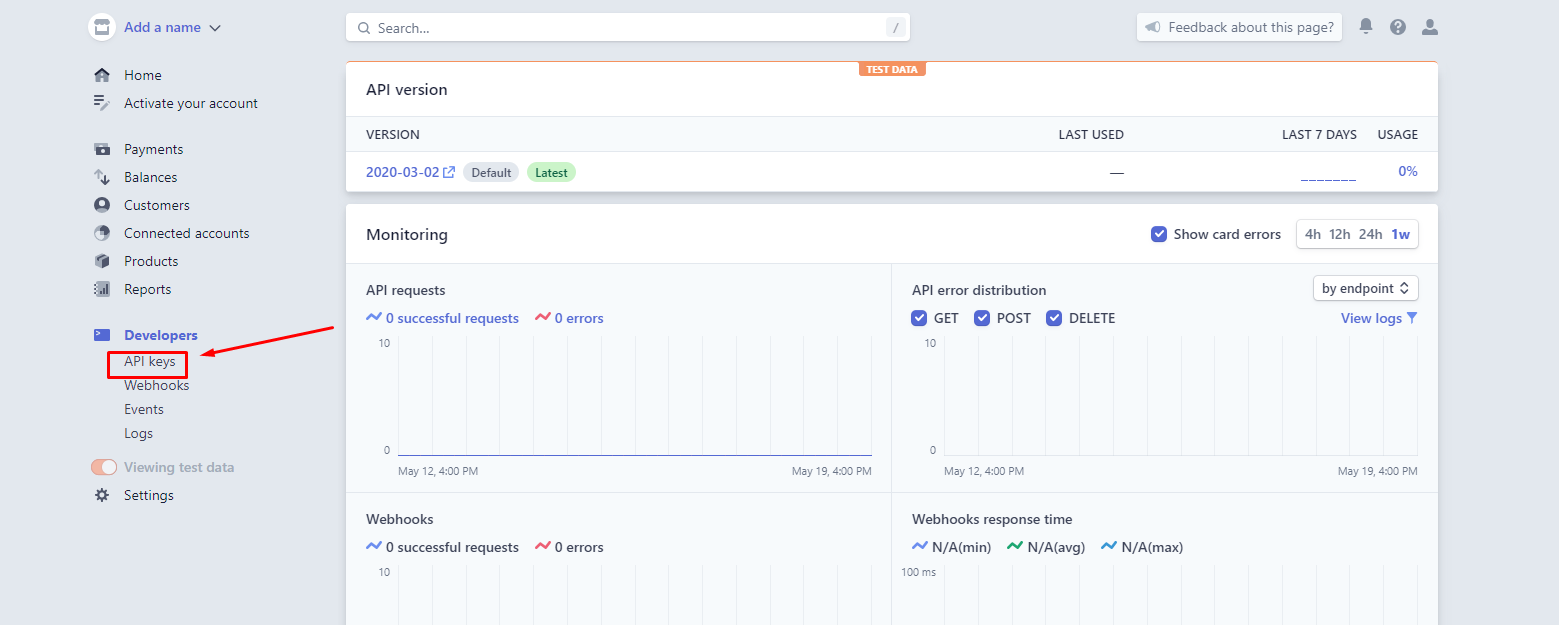
2. Select the “API keys” tab
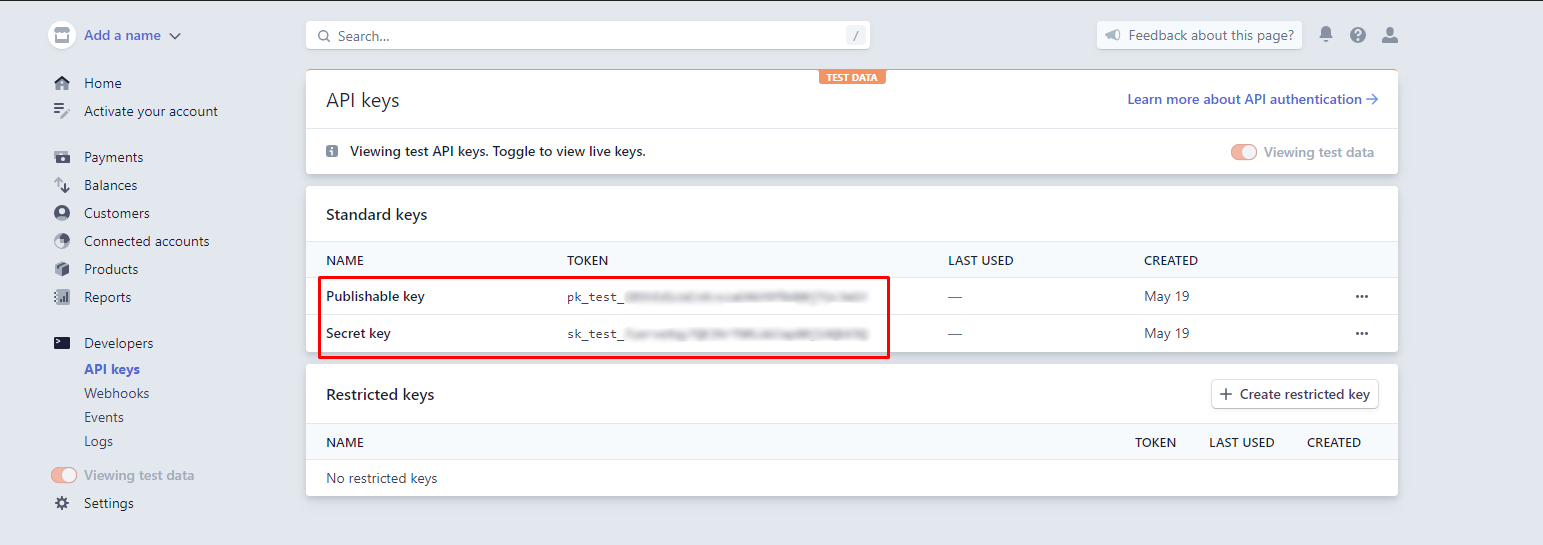
We see the Publishable and Secret key we need
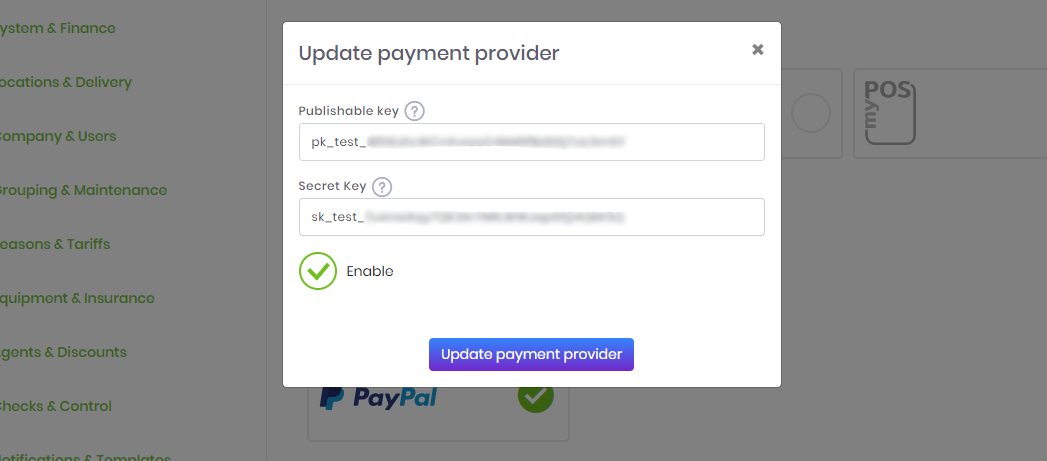
3. Go to your RentSyst account. Go to the “Settings”, tab “Integration”. Select Stripe and in the window that appears, insert our Publishable and Secret key. Put the mark “Enable” and click on the button “Update payment provider”
Recommended reading
Faq
Integration with LiqPay
Integration with LiqPay
Integration with SumUp
Integration with SumUp
Booking with leasing
Booking with leasing
Viva Wallet. Integration instructions
Guide for integrating Viva Wallet into o...
Integration with myPOS
Guide for integrating myPOS with our sys...