7.4 Integration with JCC
There are two steps to how JCC integrates with RentSyst.
Stage 1 - Your company is not registered in the JCC system and must be registered.
Stage 2 - Your company is already registered in JCC and you need to integrate it into RentSyst.
Stage 1.
To register a company with JCC, you need to understand that there are two products: JCC Gateway and JCCsmart.
JCC Gateway - You can accept online payments on your sites. The system is easy to use and meets all the necessary safety standards (3Dsecure, Verified by VISA and MasterCard SecureCode).
JCCsmart - it is a JCC payment portal for paying invoices (you do not need a website). In this case, the money does not go directly to your account, and JCC acts as an intermediary. As an example - PayPal
IMPORTANT!
In order to be able to open a merchant account with JCC the below are required:
1. Have a company registered in Cyprus or other E.U country, as well as operations in the country registered
2. Have a bank account in Cyprus local bank
3. The website must be fully operational or close to completion (in regards to functionality and information) and operational in the Greek and/or the English language
4. Your type of business/service offered should not be listed in the Prohibited Merchant list (attached).
1. First you need to write to [email protected] by e-mail and write in the letter that you want to “Register the company in their system”.
In response, you will receive an email inward there will be 2 files that need to be filled.
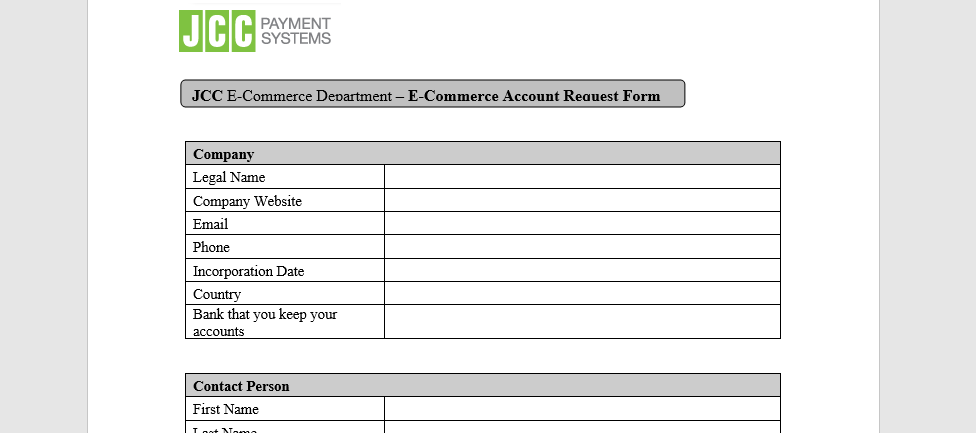
2. After you fill out all the files and send them for moderation. Expect confirmation from JCC that your company has been added to the system. This letter should contain the following information:
Merchant id
Password
Acquire id
If this data has not arrived, ask to send it.
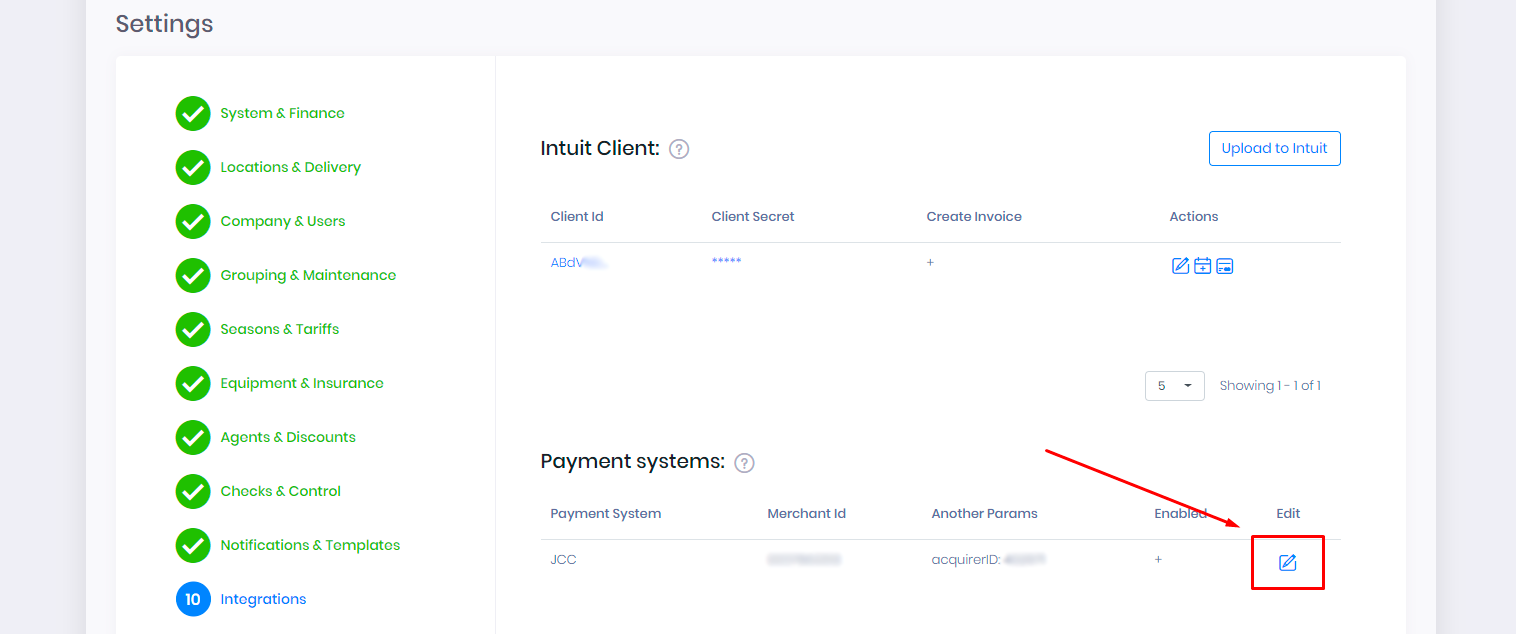
3. Go to your RentSyst account. Go to “Settings”, select the “Integration” tab. In the Payment systems section, click on the “Edit” icon
4. Enter all the necessary data, put a checkmark “Enable” and click on the button “Update payment provider”.
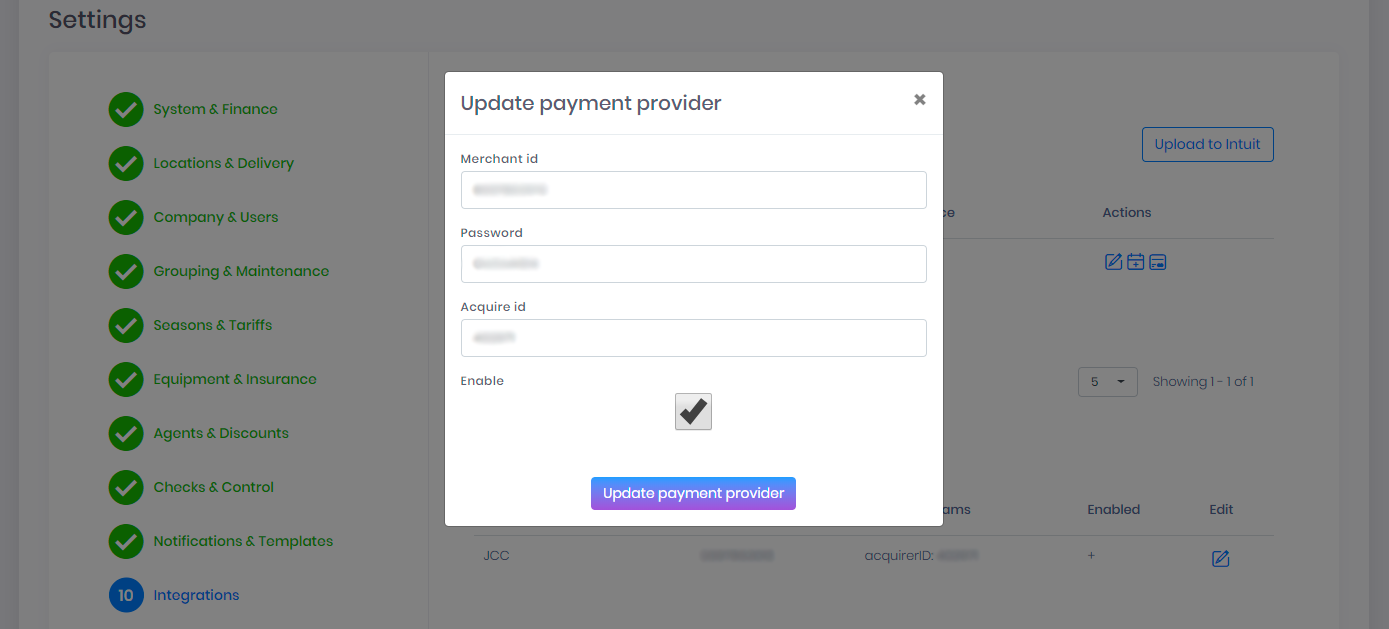
Everything. You have connected the JCC system.
Stage 2
If your company is already in the JCC system, you need the following data:
Merchant id
Password
Acquire id.
If you do not have these data, write an email to [email protected] and ask them to send.
Go to your RentSyst account. Go to “Settings”, select the “Integration” tab. In the Payment systems section, click on the “Edit” icon
Enter all the necessary data, put a checkmark “Enable” and click on the button “Update payment provider”
Everything. You have connected the JCC system.